Unlock the truth streaming potential of your RokuHave you recently purchased a new Roku device and want to bypass its limitations, similar to a Firestick, to stream free movies and run third-party apps?“How to jailbreak a Roku” is a query that thousands of people search for online every year.While you will find thousands of videos and articles on this subject across the internet, how much of that information is actually true?Today, in this detailed guide that features the latest 2026 updates, we will reveal the reality behind jailbreaking and show how to access the maximum amount of content on your Roku device without any risk.
First, let’s clarify: technically, a Roku cannot be jailbroken. As we explained in our (Roku vs Firestick 2026 Comparison), the Amazon Firestick runs on Android, which makes it easy to install APK files. However, Roku runs on a “Closed Source Custom Linux” operating system. This means there is no option to enable “Unknown Sources.”But don’t worry! The primary purpose of a “jailbreak” is to access free content, and we have four excellent methods.
Top 4 Ways to “Jailbreak” Your Roku Experience Safely
When we talk about jailbreaking, our primary goal is usually to watch free movies and shows. However, unlike the Firestick, Roku does not offer a direct option to sideload apps. Therefore, in 2026, here are 4 excellent and legal methods you can use to watch free content:
{Additionally, if you are looking for the best free content, be sure to check out our list, [10 best Roku apps for free movie streaming], which will give you access to thousands of movies without any jailbreak.}
Screen Mirroring and Casting (The Most Effective Method)
Since authentic apps like Kodi, which are not available on the Roku Channel Store, cannot be installed directly onto a Roku device, the best approach is to run them on your smartphone and then cast them to your Roku device.
iOS/iPhone Users: Roku now supports Apple AirPlay. You can simply [Enable AirPlay on Roku] through your device settings and stream your favorite apps from your iPhone or Mac directly to the big screen.
Advantage: This method eliminates the risk of hacking or modifying any software.
Plex Media Server (Your Personal Netflix)
Plex is a magical tool that transforms your old laptop or computer into a dedicated media server.
You can store your downloaded movies and shows on a Plex server.
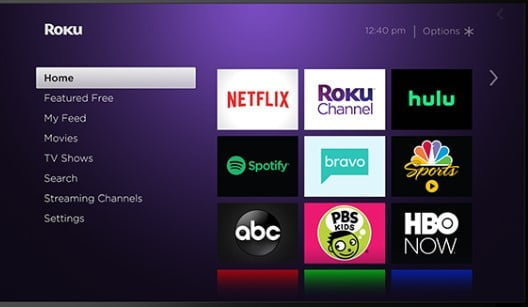
Install Plex directly from the Roku Channel Store.
Now, you can stream all your content wirelessly to your Roku device. This is an excellent solution for those who prefer watching high-quality 4K movies offline.
The Confusion Surrounding “Non-Certified” Channels
Previously, Roku featured a function called “Private Channels,” which allowed users to install hidden apps by entering specific codes (such as m3u8 codes).
2026 Updates: Roku has now completely discontinued the “Private Channels” feature. Currently, only apps that have been verified and are listed on the Roku Channel Store remain functional. Therefore, don’t waste your time following outdated instructions from older online articles.
Roku Developer Mode (The Expert Method)
This method is designed for users with technical expertise. It allows you to install apps directly onto your Roku device from your computer using a .zip file.
Remote Code: Home button (3 times) + UP (2 times) + Right + Left + Right + Left + Right.
This will open “Developer Settings.” Set a password for this, then log in via a browser to install apps. However, this method is limited and does not support all apps.
Why You Should Never Use “Jailbreak Software” for Roku
If you encounter a website that claims, “Download this software to jailbreak Roku,” leave that site immediately.
Virus & Malware: There are no legitimate jailbreak .exe or .apk files for Roku. Any such files are designed solely to steal data from your computer.
Account Ban: Using unauthorized methods may result in a permanent block of your Roku account.
Hardware Damage: Flashing incorrect firmware can “brick” (render useless) your expensive Roku device.
Roku vs. Firestick: Which is better for sideloading?
If your primary objective is jailbreaking and using third-party apps, then Roku is likely not for you.
Firestick: It is an open system, making it ideal for jailbreaking and sideloading. [Step-by-Step Guide: How To Jailbreak Firestick]
Roku: It is secure and simple, but you are limited to using only official apps or casting.
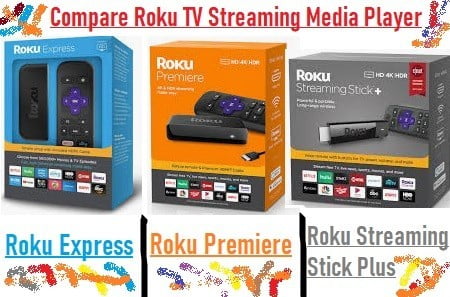
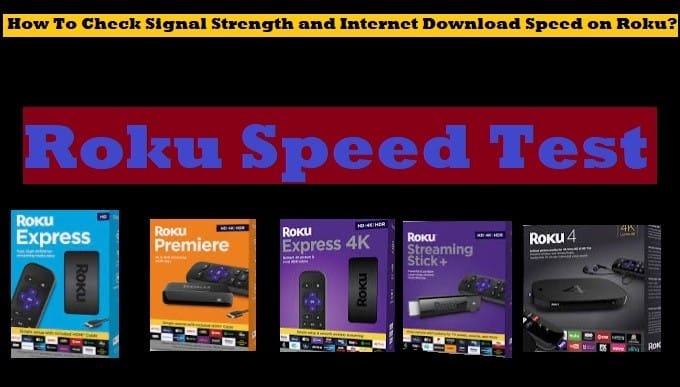
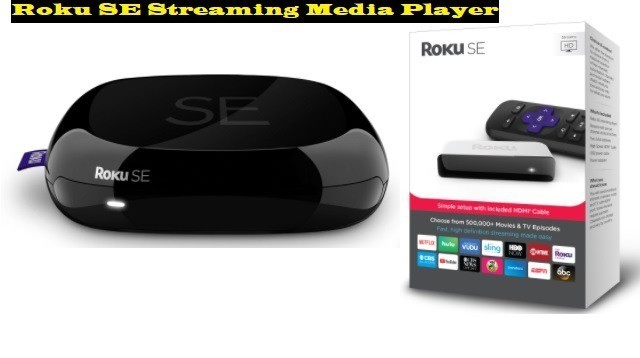
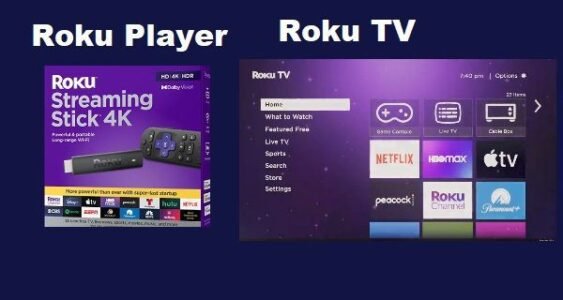
Roku Player Roku TV
What is Jailbreak?
First, let’s understand what a jailbreak means.Jailbreaking a device allows third-party apps to be installed. For example, when you want to install an app from anywhere other than the Google Play Store on your mobile device, you’ll be prompted to enable “Apps from unknown sources“. Similarly, in any device like Firestick that has a jailbreak option, if you enable the permission to install third-party apps, then it is called jailbreaking.Generally, new Roku users assume that, much like the Firestick, Roku devices can be “jailbroken” to stream free content using third-party apps such as Kodi. This involves streaming content through applications not available in the Roku Channel Store.Our objective is to make you aware of the truth: Roku devices can be jailbroken.As noted above, you can’t install third-party apps on a Roku by jailbreaking it. However, you can cast content from your phone or computer by enabling screen mirroring.In contrast, if you use a Fire TV device, a jailbreak option is available, meaning you can jailbreak the Firestick to sideload third-party apps via APK files, but no such option is available on Roku
Notice: This guide is for educational purposes only. We don’t promote or encourage the use of any illegal software or privacy. The term “jailbreak ” refers to legal options and settings available within the Roku ecosystem that enhance your viewing experience. Use third-party tools at your own risk.
How To Enable Screen Mirroring On Roku?
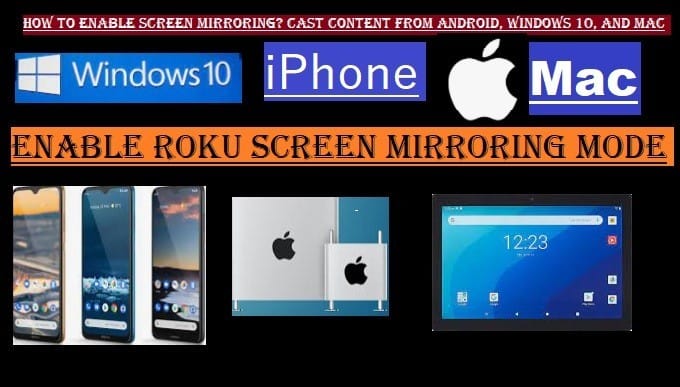
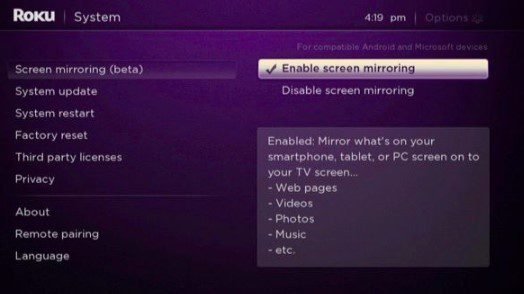
As noted above, Roku cannot be jailbroken. However, enabling screen mirroring on Roku lets you mirror content from your phone, computer, or other devices.However, Roku is designed so you don’t need a third-party app. You will also find many free apps for your entertainment on the Roku Channel Store.If you are using a legitimate streaming app on your mobile device, iOS, computer, or any other device, and want to cast the content you are watching to Roku, it is possible.To cast content directly from your mobile, computer, or other device to a Roku, you’ll need to enable screen mirroring mode on the Roku and pair your device with it.
Enable Screen Mirroring On Roku: 2026 Guide
First, go to your Roku TV Home Page by selecting the Home button on your Roku remote
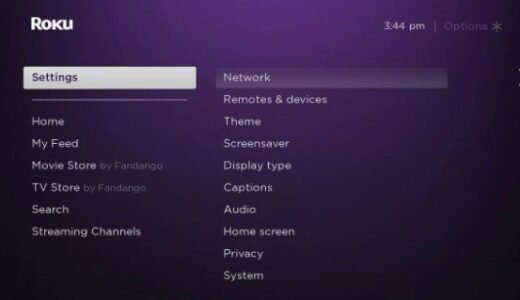
Select SettingsGo to Roku Settings
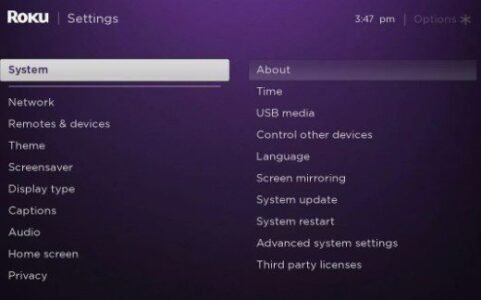
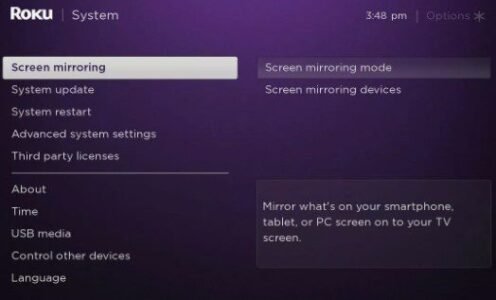
Scroll down and select SystemSystem Menu, Screen Mirroring
Again, go down and select Screen Mirroring.
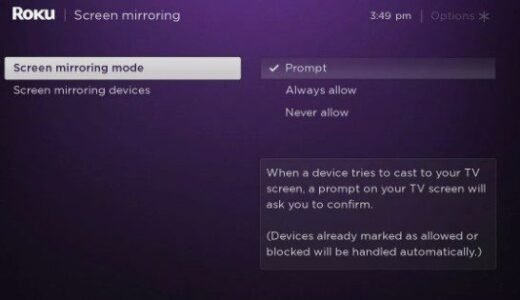
Select Screen Mirroring ModeScreen Mirroring Mode
Now select Prompt or Always allowPrompt Screen Mirroring Mode(Prompt: This is a secure option. It will not let you connect any other device without permission. If someone tries to connect their device to Roku, a notification will appear on your TV screen asking, “Do you want to allow that device to connect?” The connection will not happen until you select “Allow.)(Always Allow: The option is very useful for you if you frequently do screen mirroring from the same device and don’t want to see the prompt again and again.)
Go back to your Home Page.
By following all the steps above, screen mirroring will be enabled on your Roku device. Now, let’s learn how you can pair your other device with Roku and cast content.
After enabling screen Mirroring, you will need to pair your mobile device with the Roku
After enabling screen mirroring on Roku, pair your Android phone or Windows computer with Roku to cast content. Which is very easy, follow the steps given below:
Pair Your Android Phone To Roku
Make sure both your Android phone and Roku TV are connected to the same wi-fi network.
Open Quick Settings: Swipe down from the top of your phone’s screen.
Find the screen mirroring option: You’ll see options such as “Smart View,” “Screen Cast,” “Cast,” or “Wireless Display,” which may vary by phone model. Select this option.
Select Device: Your phone will now search for nearby devices and display a list from which you will need to select your Roku device name.
Allow: If you have set Screen Mirroring Mode on Roku to ‘Prompt’, a message will appear on your TV. Select ‘Allow’ on your Roku remote.
Your phone’s screen will now be mirrored on the Roku TV, and you’re ready to cast content from your phone to your Roku device.Additionally, if you want to mirror your PC, follow the remaining instructions.The easiest way to watch third-party content on Roku is through screen mirroring. We have written a detailed guide [How to Connect a Phone to a Roku TV], that will teach you how to cast, step by step.
Mirror Content From Your Computer To Roku
Following these steps will help you pair Roku with a Windows computer:
Make sure both your devices, your Windows computer and Roku, are connected to the same wi-fi network.
Open the Connect Panel: Press the Windows Key + K on your keyboard.
Select the device: The connect panel will open on your screen, and a list of wireless displays will appear.
Select Roku: Choose your Roku device from the list.
Allow: A message appears on your TV when the Roku is set to ‘Prompt’ mode. Select ‘Allow’ on the Roku remote.
Your computer screen will now mirror on your Roku device, and you can cast content directly from your PC to the Roku TV.
Is It Legal To Jailbreak Roku TV
First, there is no “jailbreak” option available on Roku devices.Yes, unlike Roku, as mentioned above, there is a jailbreak option on Firestick devices that allows you to sideload third-party apps. This is not the case with Roku, so there is no question of legality.(We would like to reiterate that by third-party apps, we don’t mean illegal apps, but we always prefer to use legal third-party apps like Kodi so that you don’t get caught in any legal action.)Legal Risks:
The problem arises when you stream illegal content (such as copyrighted movies and shows) through sideloaded apps. Don’t do this.
Modifying a device is illegal, and using it to stream pirated or copyright-infringing content is illegal. This violates copyright law in many countries.
Roku Policies:
According to Roku’s terms of service, installing unauthorised software or apps on Roku devices is prohibited.
However, if you continue to violate Roku’s policies, Roku will soon stop updating your device or limit your access to certain services. However, this is a policy action distinct from legal action.
In short, there is no jailbreak option available on Roku. You can mirror content by pairing your other device to Roku by enabling screen mirroring mode. Which is legal as long as you stay away from illegal content.
Conclusion:In 2026, “Roku Jailbreak” doesn’t mean cracking the software; rather, it signifies a smart approach to content consumption. With options such as Screen Mirroring and Plex, you can access most of what is typically available on a jailbroken device.If you are looking for a device that offers complete customization, be sure to read our (Roku vs Firestick 2026 Guide) to help you make the right choice.
FAQ (Frequently Asked Questions)
1. Can Kodi be installed on a Roku?
No, Kodi does not support the Roku OS. You can run Kodi on your phone and “Cast” it to your Roku device.
2. Are the Roku jailbreak software tools found on the internet safe?
Absolutely not! There is no such thing as jailbreak software for Roku. Such files can introduce viruses into your computer.
3. Does jailbreaking void the Roku warranty?
Since Roku can’t technically be jailbroken, there is no risk to the warranty, provided you don’t tamper with the hardware.

 Roku Player Roku TV
 As noted above, Roku cannot be jailbroken. However, enabling screen mirroring on Roku lets you mirror content from your phone, computer, or other devices.However, Roku is designed so you don’t need a third-party app. You will also find many free apps for your entertainment on the Roku Channel Store.If you are using a legitimate streaming app on your mobile device, iOS, computer, or any other device, and want to cast the content you are watching to Roku, it is possible.To cast content directly from your mobile, computer, or other device to a Roku, you’ll need to enable screen mirroring mode on the Roku and pair your device with it.


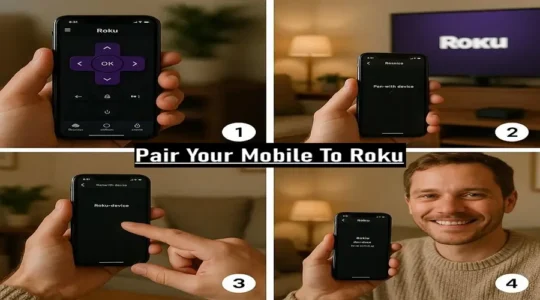 After enabling screen mirroring on Roku, pair your Android phone or Windows computer with Roku to cast content. Which is very easy, follow the steps given below:
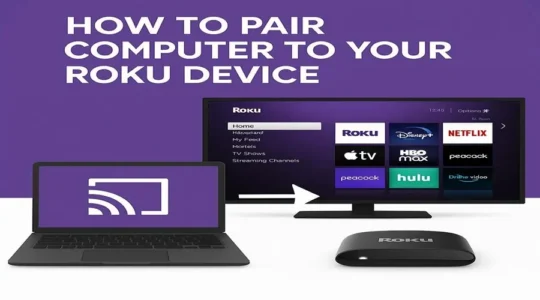 Following these steps will help you pair Roku with a Windows computer:
 First, there is no “jailbreak” option available on Roku devices.Yes, unlike Roku, as mentioned above, there is a jailbreak option on Firestick devices that allows you to sideload third-party apps. This is not the case with Roku, so there is no question of legality.(We would like to reiterate that by third-party apps, we don’t mean illegal apps, but we always prefer to use legal third-party apps like Kodi so that you don’t get caught in any legal action.)Legal Risks: